


Share private web apps, securely and easily
What is Wispers Access?
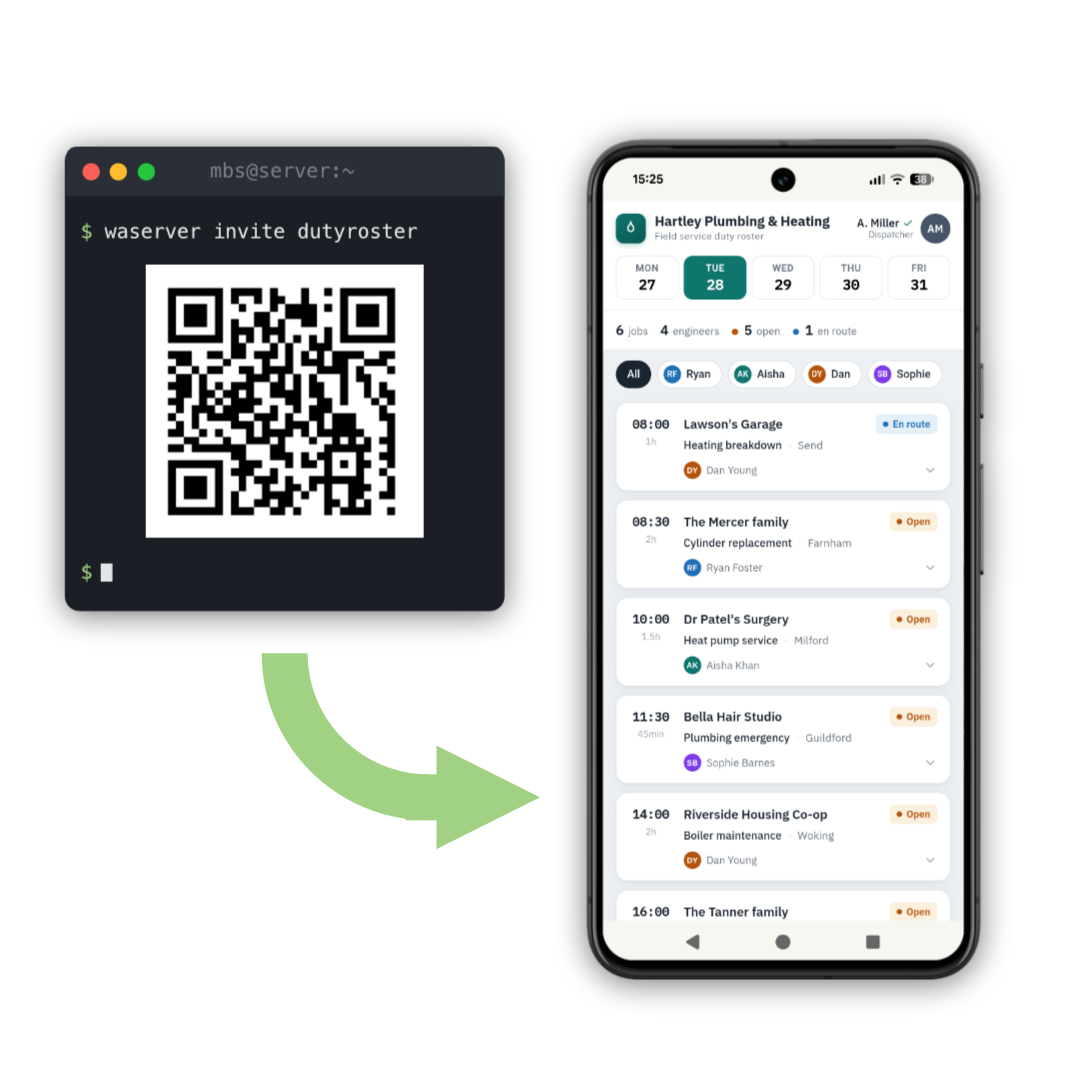
Some apps are not meant for the whole internet: a duty roster for your team, a music library, a family photo collection. They run on someone's own computer, at work or at home.
Wispers Access connects that computer directly with the people who were invited, and with nobody else. The app never appears on the public internet.
Got an invite?
Then all you need is the Wispers Access app. Three short steps and you are in.
 Show me how
Want to share an app yourself?
You run a small helper called waserver next to your app and hand out invites. The instructions are on GitHub.
 Get started on GitHub
From invite to app in three steps
-
Install Wispers Access
Choose the device you want to use. The app is free, and there is no account to set up.
Wispers Access is in open beta. It is free and open source.
-
Add your invite
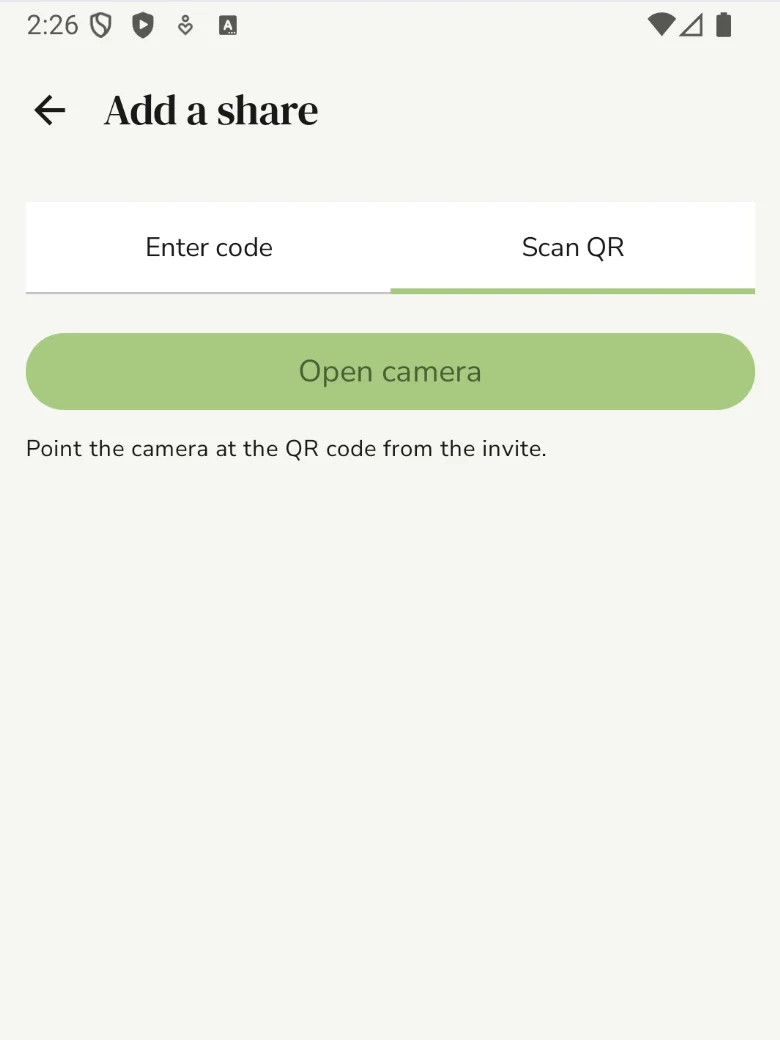
Open the app and tap +. Then point the camera at the QR code in your invite. No QR code? Paste the invite code instead.
-
Open the shared app
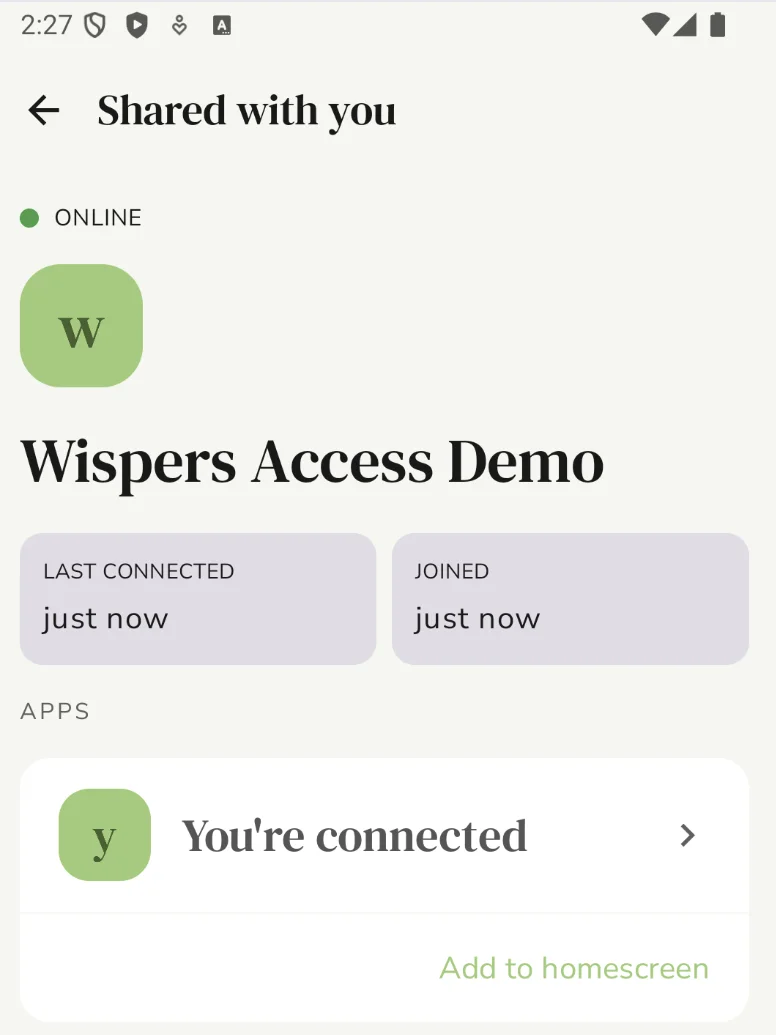
The apps you were invited to are listed under the share. Tap one and it opens right inside Wispers Access.


Good to know
One invite is for one device
Want the app on your tablet as well? Ask the person who invited you for a second invite.
Only invited people get in
Your device connects straight to theirs, encrypted, and not even Wispers can read along.
Nothing else changes
Wispers Access is not a VPN. It leaves your other apps and your internet connection exactly as they are.
It won't open?
Most often the computer that shares the app is switched off or offline. Either way, ask the person who invited you. They can check on their end, and they know where to find help.